01CONNECT
Verify trade-only access
The account connects to a supported exchange, rejects withdrawal-enabled keys, and creates an isolated worker that starts paused.
HOW GRIDCOVE WORKS
Connect a supported exchange with trade-only credentials. Each worker starts paused, evaluates exactly four approved markets, gives fresh BUYs to one automatic Buy Focus, manages filled positions, and reconciles against the exchange after an interruption.
EASIER CONNECTION SETUP
Use the provider-by-provider guide for Binance.US, Kraken, and Coinbase Advanced. It shows the exact permissions to enable, which permissions must stay off, and which value belongs in each GridCove field.
SEVEN CLEAR STAGES
GridCove can skip a BUY when the checks do not pass. Holding quote cash is an intentional outcome, not an error.
The account connects to a supported exchange, rejects withdrawal-enabled keys, and creates an isolated worker that starts paused.
The worker checks range, spread, volatility, anti-chase context, available budget, and order capacity across four approved markets.
Only one approved market may receive fresh BUYs at a time. Existing SELL positions continue independently.
Before placement, the worker refreshes the live book, confirms price and quantity, and checks the exact client order ID to prevent duplicates.
A verified BUY fill becomes a managed position with cost basis, a fee-aware SELL target, and optional stop protection.
When a completed SELL has positive after-fee profit, GridCove applies your Vault percentage. The Vault share is reserved from new BUYs; the remainder stays available to reinvest. Losses and break-even exits do not add to either bucket.
After a restart, saved state is compared with live balances and orders. Existing SELLs are preserved and new trading returns paused.
PRODUCT WALKTHROUGH
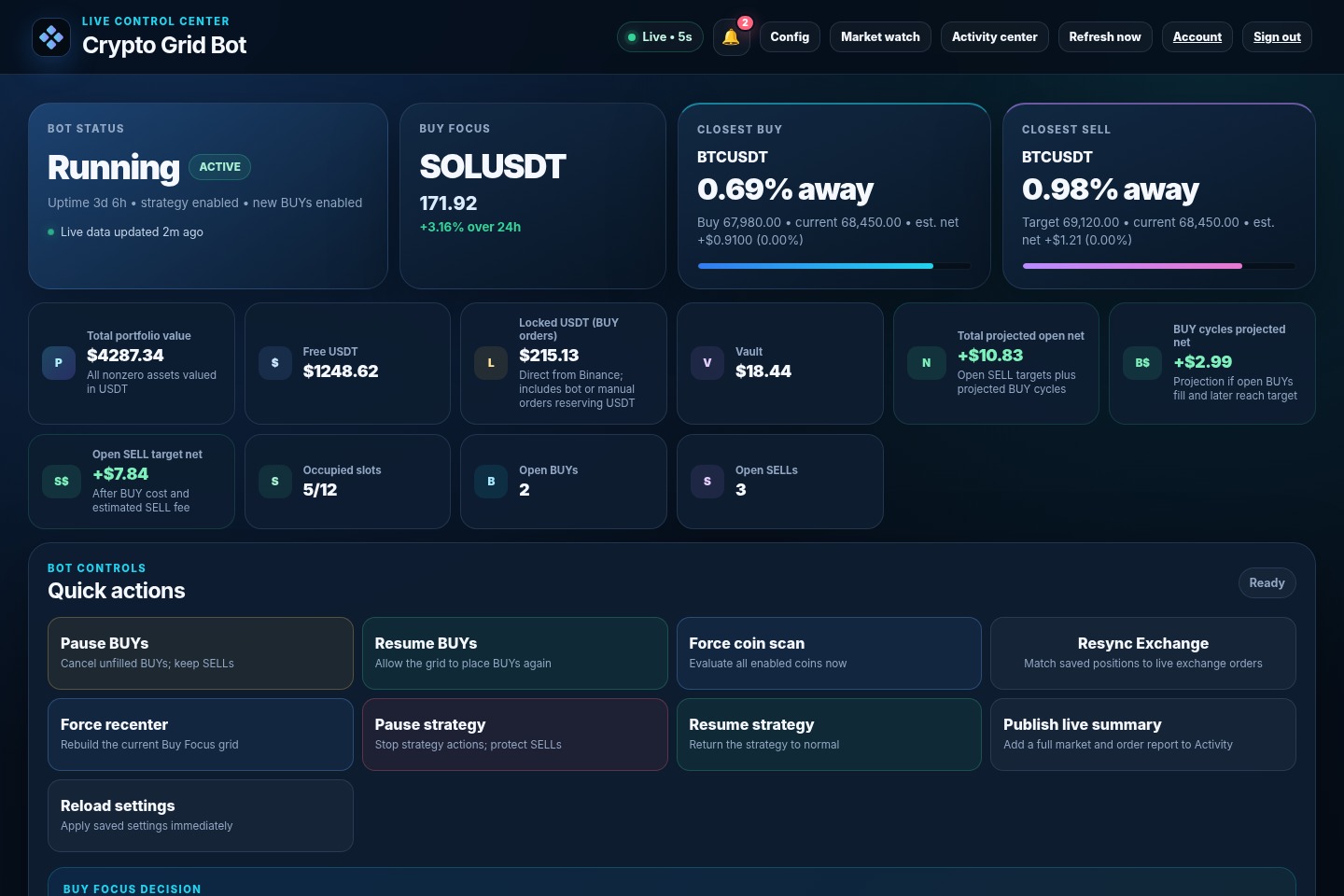
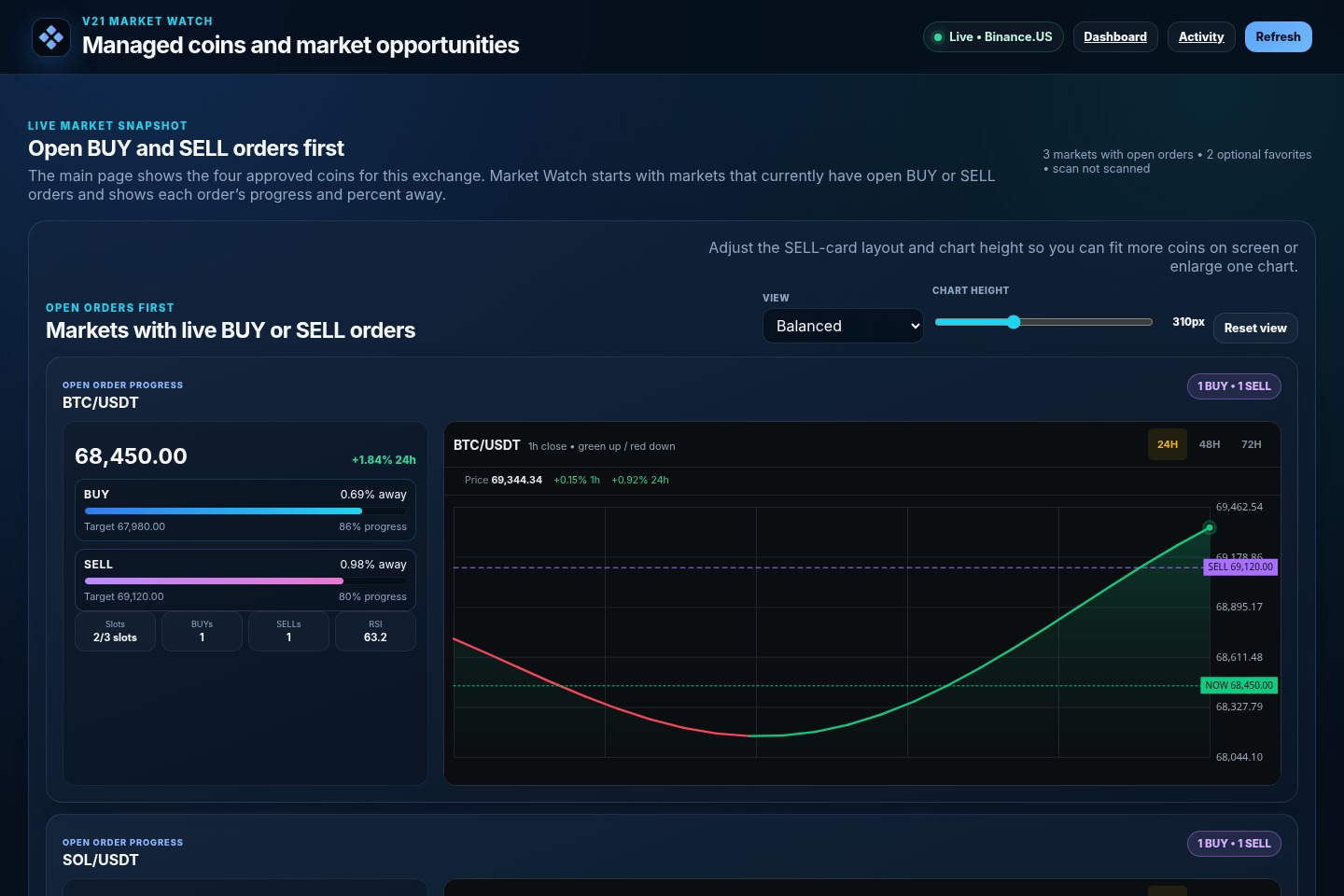
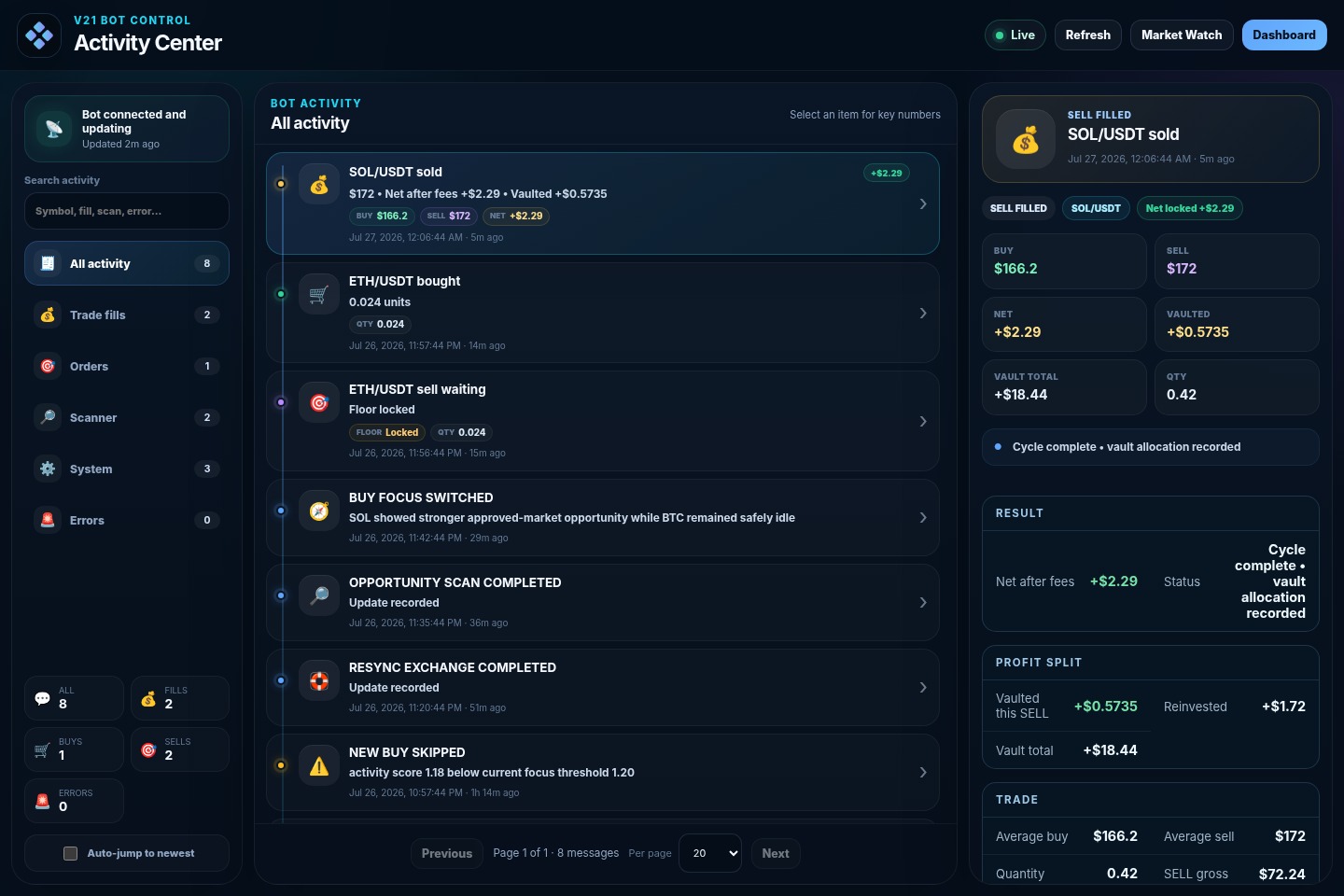
Three screens cover operation, market context, and audit history. Click a screenshot to expand it.
The dashboard separates exchange connectivity from bot activity so a connection can be healthy while fresh trading remains paused.
 EXPAND
Market Watch is included on every plan for the four approved markets, tracked positions, range context, and target progress. Starter and Pro add scanner candidates, favorites, and watchlists.
 EXPAND
Meaningful actions are recorded with timestamps so fills, order transitions, settings changes, recovery work, warnings, and errors are not hidden.
 EXPAND
SAFETY BOUNDARIES
GridCove cannot remove market risk, guarantee fills, or guarantee profit. Its job is to enforce the configured workflow consistently and keep the state visible.
Vault is an accounting reserve inside the connected exchange account. It does not give GridCove withdrawal permission and is not a separate custodial wallet.
